

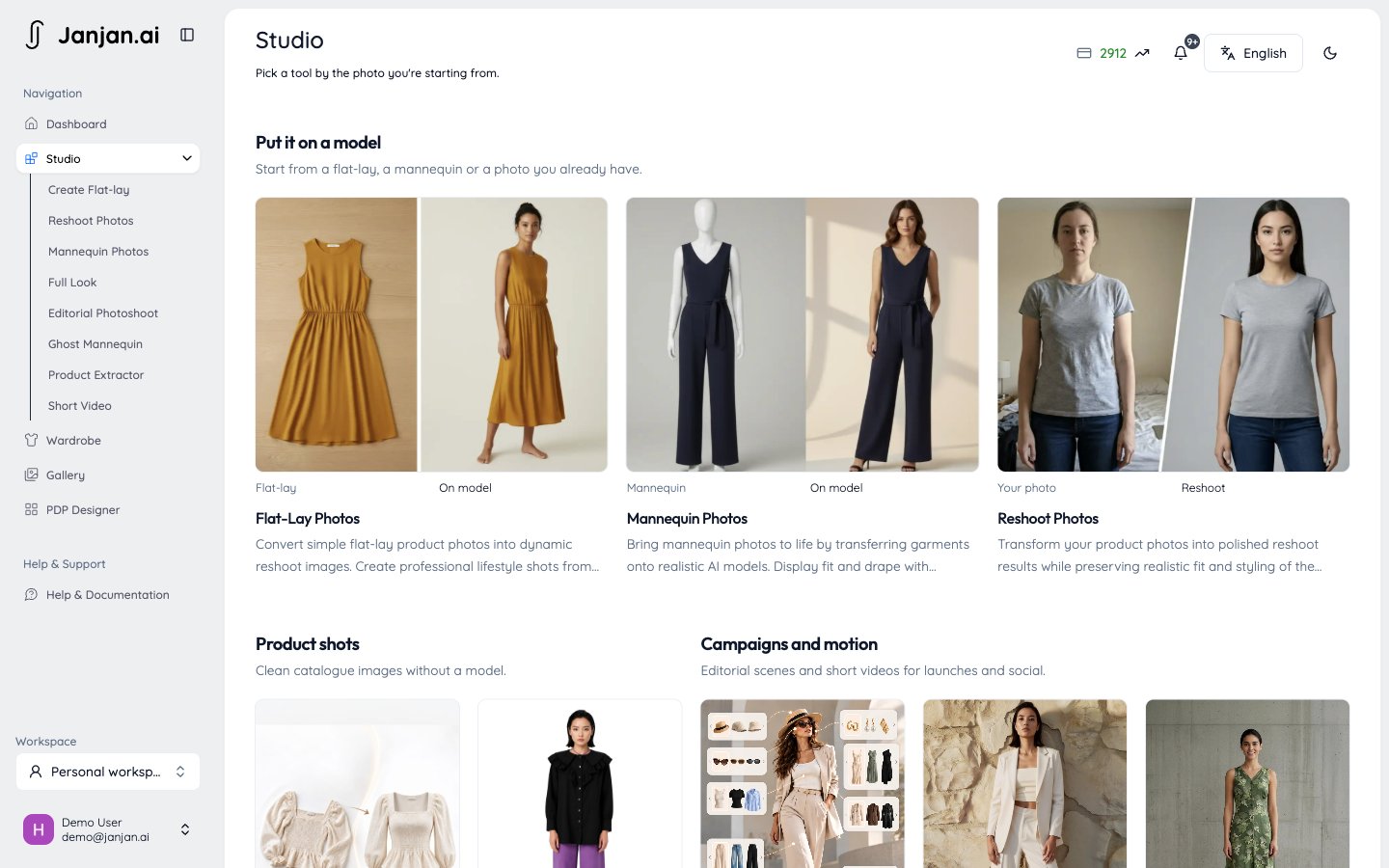
Put it on a model
Flat-Lay Photos
Turn a garment photographed flat into photos of the garment on a model.
Mannequin Photos
Turn a garment photographed on a mannequin into photos of the garment on a real-looking model. It works like Flat-Lay Photos, but starts from a mannequin photo.
Reshoot Photos
Keep the outfit and pose from an existing photo, but show it on a different model.
Product shots
Ghost Mannequin
Turn a flat-lay top, bottom, or dress into a ghost mannequin product photo on a pure white background.
Product Extractor
Pull a single garment out of a photo of someone wearing it.
Campaigns and motion
Full Look
Style one model head to toe in a single shot.
Editorial Photoshoot
Place your garments in a curated editorial scene for campaign-ready photos.
Short Video
Turn a finished flat-lay or mannequin result into a short video.
Creative direction
Flat-Lay Photos, Mannequin Photos, and Full Look can follow a Director.Directors
Give a whole shoot one creative style: light, set, pose, and colour grade.
Wardrobe
Wardrobe
Your Wardrobe keeps the garments you’ve uploaded or extracted, so you can reuse them in any tool without uploading again.